
Why? #
I am a fan of logseq (glad if you are too), I love its local-first philosophy. Data lives on my machine, safe and private.
However, the biggest friction is when pasting images or videos. By default, logseq saves media files as-is: pasting url, it shows url; pasting local file, it saves local file path.
Issues:
- Local image path is not cloud-wise friendly. It breaks if I try to publish to internet.
- I should not paste images directly into the Git repo. Bloats the repo size.
Desire:
- There should be a better way to upload images in a single action. Something like “paste image, upload to cloud, get url, insert url”.
Solution #
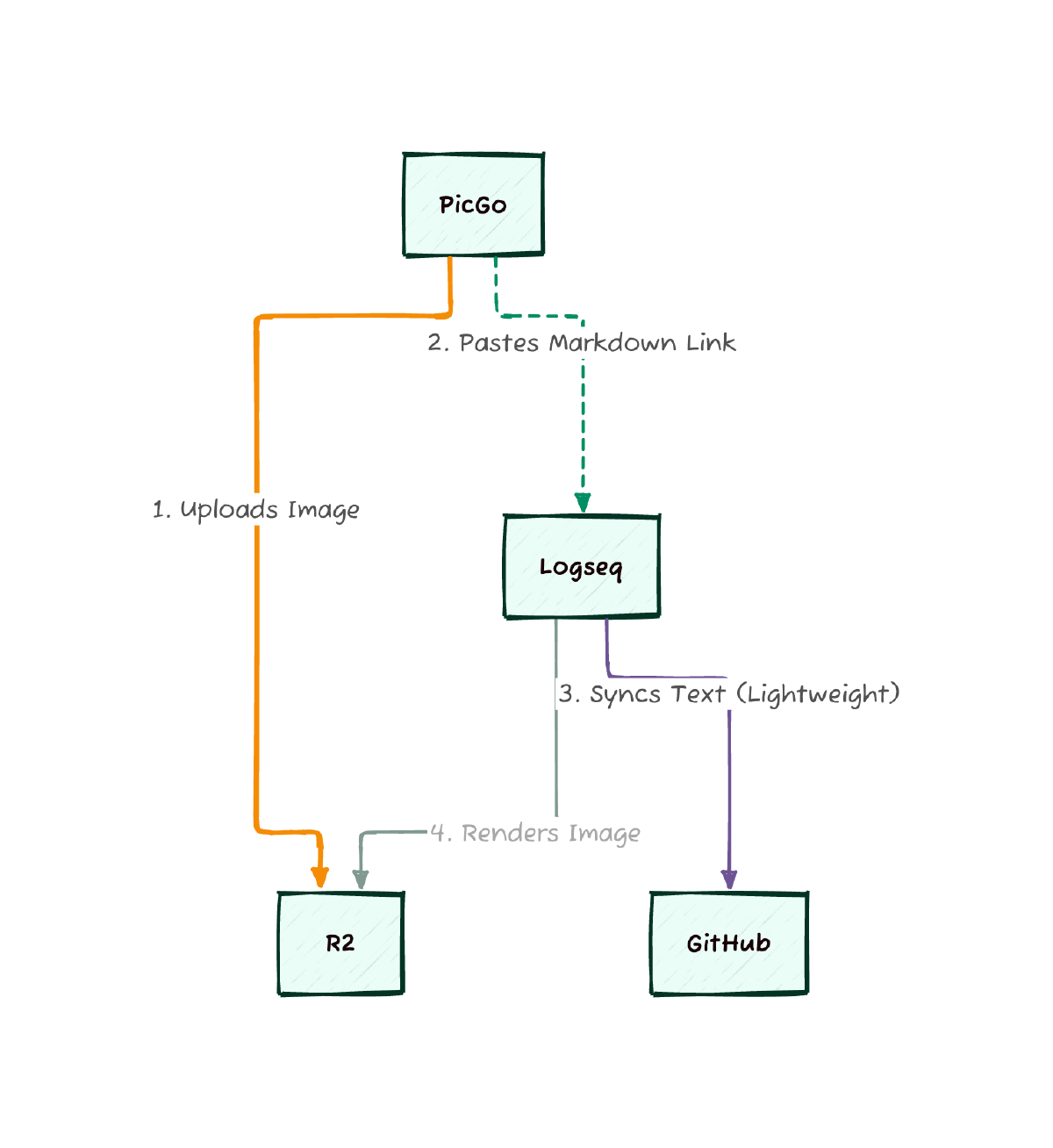
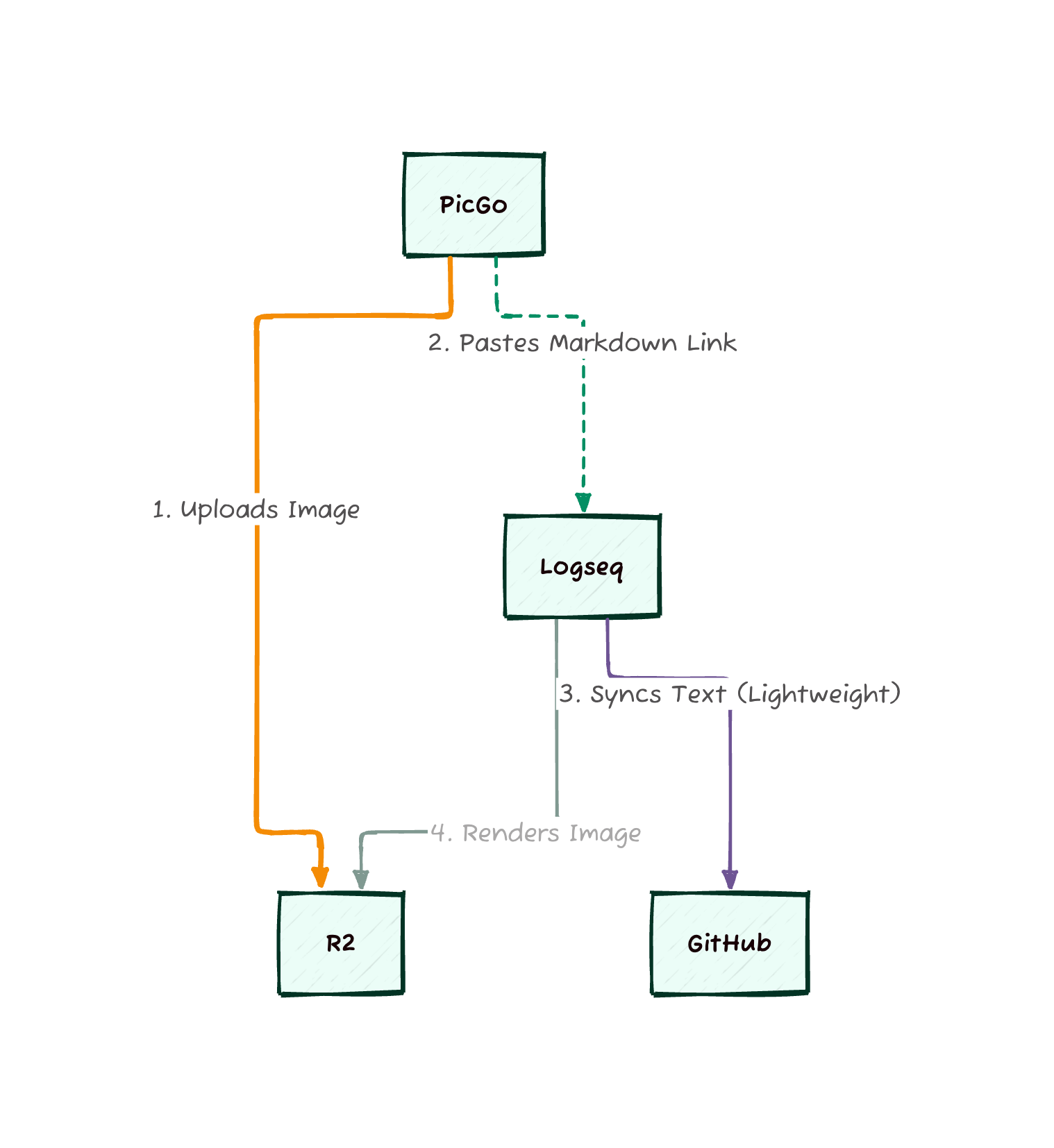
And my solution for now is to upload images to Cloudflare R2 the moment they are pasted, via PicGo.
The desired workflow is:
- Have the image inside clipboard.
- Automatically call PicGo by CMD + Shift + P to upload the image to Cloudflare R2.
- PicGo uploads the image, returns the URL.
- I have the URL and paste into logseq (or other sites).
Demo:
Pre-requisites #
Implementation #
Result #
This setup keeps my logseq repository lightweight (text only) and makes sharing notes significantly easier since the assets are already online.
I hope this tip improves your note-taking workflow. Happy writing!